When you were uploading your logo in the website info settings or in the live theme editor of your ShopWired account you probably noticed that there was a second box to upload something called a favicon:
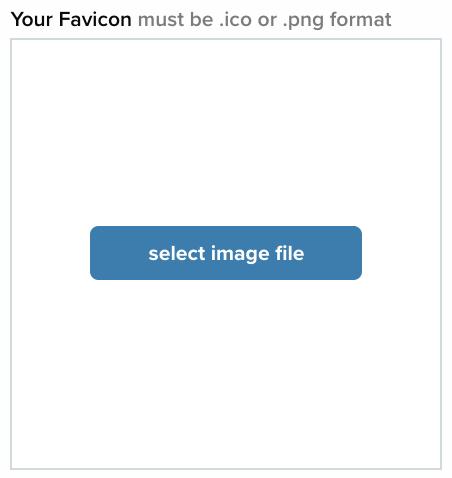
If you looked at that box and thought to yourself ‘what on earth is a favicon?’, then we've got all the answers you're looking for.
In addition to explaining just what a favicon is, we’re going to tell you why you need one, what it should look like and how to get one! By the time we’re done here you’ll know everything about favicons (or everything we think you need to know anyway).
What is a favicon?
A favicon is the little icon that appears with your website in a variety of places depending on the browser you’re using. Your favicon can appear beside your website in search results, in the address bar when entering the domain name, in the address bar drop-down list, in bookmarks and most notably in a browser’s tabs:

As you can see above, when you have many tabs open, it’s very helpful having that little picture which can easily help you flip back and forth between tabs without trying to figure out which is the one you want.
A bit of background
Favicons were first introduced by Microsoft in the Internet Explorer web browser in 1999. These images, which had to be in ICO format, were displayed in a user’s favourites (called bookmarks in some other browsers) or in the URL if the website had been favourited. By placing icons in these places the websites that a user has favourited were more instantly recognisable to them.
Thus, due to the icon initially only displaying for use with 'favourite' websites, ‘favicon’ is simply a shortened version of ‘favourite icon’.
Use of the favicon has since been standardised (by the World Wide Web Consortium) and adopted by every major browser for use in a variety of ways, with each browser choosing where they display the favicon and which file formats they will support (all major browsers support ICO and PNG images).
Do you really NEED to have a favicon?
In short, yes, you really should have a favicon.
While the existence of a favicon won't be make or break for your business, it is still an important addition to your website which is very simple to implement. Favicons help make the internet experience a bit nicer for everyone, including (and most importantly) your customers, as they make recognising favourite sites easier which in turn leads to more traffic for those sites. Having a favicon also contributes to your brand recognition and encourages your customers to think of you as more legitimate.
How should you format and upload your favicon?
The size requirements and HTML formatting of favicons has become increasingly more convoluted over time with the addition of the need for favicons in multiple sizes to meet different browser and device requirements, and also with the addition of favicons being used as shortcut icons that can be placed on your home screen on a mobile device.
Luckily for you, you don't actually need to worry about all of the different size requirements and the HTML that's required to make a favicon display. When you upload your favicon in the ShopWired admin system, the platform takes care of all of that for you.
All you need to worry about is what the favicon will look like and what format the favicon should be saved as. Your favicon needs to either be saved as an 'ICO or PNG file. While some browsers do accept other file formats, they come with drawbacks that mean you should avoid them if you can. For example, JPG images won't display as clearly as a PNG file would and animated GIF images should be avoided (our platform won't allow you to upload them anyway) for use as your favicon for the very good reason that they really annoy people.
What should your favicon be?
Your favicon can be...
Your logo
In a perfect world your favicon could simply be a smaller version of your logo, but due to the nature of some logos, this won’t work for every business. If you're still working on creating your logo, it might be helpful to consider using something that would also look good as a favicon.
The best way to see if your logo is going to be suitable for your favicon is to upload it and see how it looks. Take your logo image and upload it either in your website's live theme editor or in the info settings in the 'Favicon' box. Then test out how it looks in your browser's tabs (if you're using Safari you might need to either enable favicons in tabs or check it out somewhere else like in your bookmarks). If it still looks clear, crisp and obvious as to what it is then you're good to go! But if you still don't want to use your logo then consider an alternative.
A different version of your logo
Whether it means just taking part of your logo or creating a new logo with similar colouring and imagery to yours, you can work with what you have to create the favicon you need. Many companies use a shortened version of their logo as their favicon, because they know that trying to use the whole of their logo just wouldn't look right. For example, here's Microsoft's logo:
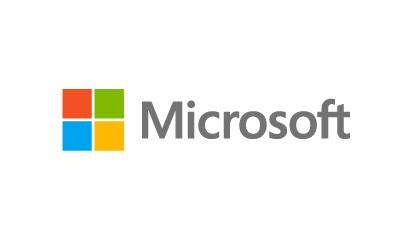
For their favicon they've just taken the colourful windows aspect of the logo and discarded the name of the company:

If your own logo has a single element that you could lift out to make your favicon then this is also a really simple solution to your favicon needs.
A stylised version of the first letter of your company
Take a look at Wikipedia’s favicon:

This is just the first letter of their website with a nice font and a simple white background. It's recognisable and readable, and this sort of idea could also work for your website if you find that your logo just isn't making the cut, even with some changes. A great resource for creating this sort of favicon is favicon.io, an online favicon generator which has a text to ICO feature which allows you to choose your text, your text colour and the background colour and download it in a variety of sizes.
What to consider when making your favicon
If you're making the favicon yourself or if you're paying someone to do it for you there are some things you'll need to consider as the design comes together:
The background
Before uploading your favicon think about the background of it. Did you want it to have a white background or were you imagining it with a transparent background instead? If you want the background to be transparent then you'll need to make sure it'd been created as such as this won't automatically be done for you.
Avoid looking too similar to your competition or to well-known websites
Like you did (or should have!) when creating your logo, take a look at the competition and see what favicons they've utilised. Then you'll want to make sure yours looks nothing like it so that you stand out to your customers. Additionally, you'll want to avoid having a favicon that looks too similar to some well-known websites as this could get confusing when your customers have your website open in one tab and a similar favicon open in another.
Related articles
Read more in GETTING STARTED:
Everything you need to know about domain names
Creating a logo for your business
Where are the products


 Ecommerce


